LINE @sale.jdc


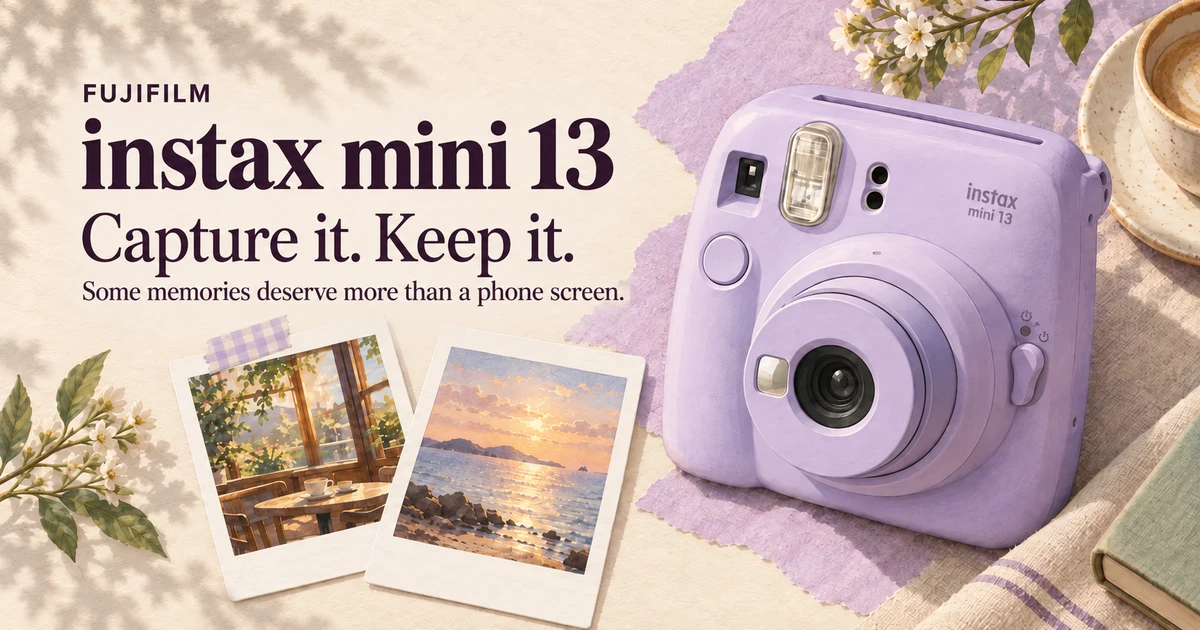
Our phones hold thousands of photos, yet we often forget where a particular one is. A small print tucked behind a phone case or clipped beside a desk gets seen much more often—even if it is only an ordinary dinner photo, without special lighting or a remarkable view.
That may be the appeal of a camera like Fujifilm instax mini 13. If you want a camera for travel, photos with friends or a gift, this model has plenty to consider. Its self-timer tackles a familiar problem: the person taking everyone's pictures is often missing from them.
Before you choose
- A 2- or 10-second self-timer gives the photographer time to steady their pose or join friends in the shot.
- It uses instax mini film and ejects a print after shooting. Budget for film as well as the camera.
- The flash fires every time, and there is no screen for choosing photos before printing.
A look that makes you want to carry it—but leave room in your bag
The mini 13 has a rounded body and easy-on-the-eye colours: Candy Pink, Frost Blue, Clay White, Lagoon Green and Dreamy Purple. Purple and blue suit a café outing, while white seems an easy long-term choice without much thought about matching accessories. It is entirely a matter of taste. [1]
Do not take “mini” to mean it will slip easily into a shirt pocket. The body measures about 10.55 × 12.47 × 6.76 cm and weighs 327 g, excluding batteries, film and strap. If you carry it all day, account for those extras too—especially with a tiny shoulder bag that you hope will somehow fit everything. [2]
A 10-second timer: let the photographer join the picture
For me, the most useful addition is the 2- and 10-second self-timer. Use 10 seconds to set down the camera, compose and walk over to your friends. The 2-second delay separates pressing the shutter from taking the photo, which is useful for a selfie when you want to steady your hands. [1]
Imagine travelling as a pair and wanting a full-length photo together without handing the camera to someone else every time. The timer immediately becomes useful. You still need a stable surface and must check the framing: a timer does not position people or the camera for you.
The kit includes an angle-adjustment accessory attached to the strap. It can tilt the camera slightly upward, giving another angle when placed on a table. Choose a level, stable surface before using it. [3]
One small thing to remember before pressing: According to the manual, turn the timer lever fully and release it within 2 seconds for a 2-second delay. Hold it fully turned for at least 2 seconds before releasing for a 10-second delay. Get familiar with the indicator light before an important shot, so you do not rush into position at the wrong moment. [3]
Twist, switch on, aim, shoot: simplicity is its strength
Basic operation is to twist the lens ring to switch on. For close subjects, turn it further to Close-up, designed for distances of 30–50 cm. A small front mirror helps frame selfies. The viewfinder also compensates for framing position in this mode, making it easier to place a close subject in the centre. [1]
Keep that 30 cm limit in mind. When photographing flowers or small objects on a desk, do not bring the lens almost into contact with the subject: getting closer than the supported range can leave it out of focus. For normal mode, the manual specifies at least 50 cm. [3]
Exposure and flash output are automatic, so beginners have few settings to manage. On the other hand, anyone wanting detailed manual control may find little to adjust. That simplicity comes with a trade-off.
Before buying, make peace with the film costs
The mini 13 is an analogue instant camera using instax mini film. Film ejects immediately after a shot. There is no screen for reviewing photos and choosing favourites to print later. Each shutter press uses one sheet. Some people love that; others may regret the cost when a shot goes wrong.
The image area is 62 × 46 mm, well suited to one or two people, small groups and details you want to keep. If you fit a whole class and a wide scene into the frame, faces inevitably get smaller. When viewing samples, remember how small the actual print is in your hand. [2]
To estimate ongoing costs, divide the price you actually pay for a film pack by its number of shots, then multiply by how many you expect to take each month. This makes the budget clearer. Check whether the camera bundle includes film, because film is sold separately.
After ejection, the image takes about 90 seconds to appear, depending on temperature. Let it develop normally and avoid handling or disturbing the film. Do not open the back until the pack is finished: opening it early exposes the remaining film to light and can ruin it. That matters more than the cute appearance might suggest. [2] [3]
Limitations to understand before paying
The flash fires on every shot and cannot be switched off Although flash output adjusts automatically, consider this if you prefer the natural atmosphere of a dim café or plan to visit somewhere that prohibits flash. The stated flash range is about 0.3–2.2 m, so do not expect it to illuminate distant people. [2]
Automatic operation does not guarantee perfect brightness or a blur-free photo every time. In low light, the camera may choose a slower shutter speed, so both your hands and your subjects need to stay steady. A 2-second delay reduces movement from pressing the button; it does not freeze people moving in the frame. [3]
Power comes from two AA batteries. The manual supports LR6 alkaline and HR6 NiMH rechargeable batteries. Rechargeables must be charged externally, and different battery types must not be mixed. If you are used to charging everything by cable, spare batteries are another item to pack before a trip. [3]
Already own a mini 12? Do you need to upgrade?
I would first ask how often you have wanted to set down the camera and join the picture. If that has been a recurring problem, the mini 13's self-timer is a tangible reason to consider it, particularly for couples' photos or solo travel.
If you are happy with your mini 12, there is no clear reason to rush into an upgrade expecting a dramatic image-quality leap. Both models have a 60 mm f/12.7 lens and a 1/2–1/250-second shutter range in the manufacturer's specifications. The timer is a clearer practical difference; image quality needs comparison under the same conditions. [2] [4]
Useful specifications at a glance
Film |
instax mini, sold separately |
|---|---|
Image area |
62 × 46 mm |
Lens |
60 mm f/12.7 |
Self-timer |
Approximately 2 or 10 seconds |
Close-up shooting |
Close-up: 30–50 cm |
Flash |
Always fires; automatic output; approx. 0.3–2.2 m range |
Batteries |
Two AA batteries: LR6 alkaline or HR6 NiMH, as specified in the manual |
Dimensions and weight |
105.5 × 124.7 × 67.6 mm (W × H × D) |
Who is it for?
If you want a camera for birthdays, couples' pictures, friends or a print you can hand someone to take home, the mini 13 is worth considering. Its simplicity lets you begin without learning lots of menus, and the timer gives the owner a better chance of joining that printed memory.
If you want to review every shot first, take dozens of alternatives before choosing, or mainly print photos from your phone, consider a photo printer or hybrid camera too. Choose the way of working that actually suits you.
For me, the appeal is having a photo you can place somewhere immediately. Write a small date underneath, pick it up years later and remember who you were with. That alone is rather lovely.
Sources
Information checked on 25 October 2026. Opinions in this article are assessments based on the manufacturer's features and manuals.